Graphic Design in 2025: Learn, Master & Earn from Home | Step-by-Step Guide
Graphic Design in 2025 — Learn, Master & Earn from Home
A practical, step-by-step guide that explains what graphic design is, how to learn it quickly (free & paid), where to use those skills, step-by-step earning methods, pricing guidance, portfolio templates, client outreach scripts, and a 90‑day action plan. Perfect for beginners and upskillers.
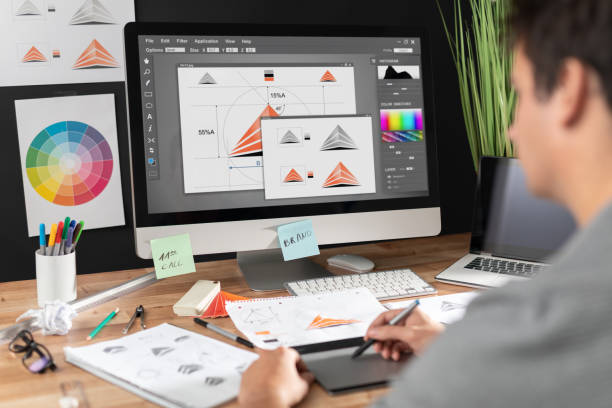
Introduction — What is Graphic Design & How It Pays
Graphic design is visual problem‑solving: combining type, color, images, and layout to communicate a message. In 2025, demand for visual content is higher than ever — brands need consistent assets for websites, apps, social media, packaging, video thumbnails, ads, and courses. That variety means designers can earn through multiple channels: direct client work (freelance or agency), recurring retainers (social media packages), productized services (thumbnail packs), and passive sales (templates, fonts, presets).
This guide assumes you start with zero experience and walks you to a point where you can 1) make your first $100–$500 from client work, 2) set up a passive product to earn recurring income, and 3) scale to $1,000+/month with a mix of both.
How to Learn Graphic Design — A Practical Roadmap (Beginner → Paid)
Learning graphic design efficiently means: focus on fundamentals, learn one tool deeply, practice with real projects, and build a tight portfolio. Below is a stepwise plan you can follow in order.
Step A — Master the Fundamentals (2–3 weeks)
Learn the building blocks first. These concepts will make every project faster and more professional:
- Typography: font pairing, kerning, hierarchy. Practice with logo wordmarks and posters.
- Color theory: palettes, contrast, accessibility (AA contrast for text).
- Composition & layout: grids, alignment, visual flow.
- Brand basics: logo formats, brand colors, simple style guides.
Step B — Choose & Learn One Primary Tool (4–6 weeks)
Avoid learning every app at once. Pick one core professional tool and one quick-creation tool:
Action: Complete a 20–40 hour course on your primary tool (Udemy, Coursera, or a YouTube full course). Follow the course project exactly — then re‑make it with your own style.
Step C — Practice with Project-Based Learning (4–8 weeks)
Projects teach faster than watching tutorials. Do the following:
- Create 5 logos for fictitious companies (different industries).
- Design a social media kit: 10 Instagram posts + 1 cover image.
- Build a landing page mockup in Figma (desktop + mobile).
- Design a product packaging concept (label, box mockup).
Upload all work to Behance and Dribbble as case studies — include a short process writeup for each piece (problem → approach → result).
Step D — Learn Pricing, Contracts & Delivery (2 weeks)
Read about usage licenses, commercial vs. personal licensing, and simple contract templates. Create 3 service packages for clients: Basic, Standard, and Premium (with clear deliverables and revision counts).
Tools, Courses & Resources (Practical List)
Tools to install now
- Adobe Creative Cloud: Illustrator, Photoshop, XD (industry standard).
- Figma: free starter plan — essential for UI/UX.
- Canva Pro: fast templates & client‑friendly exports.
- Affinity Designer / Photo: one-time purchase alternatives.
- Procreate: for tablet illustration (optional).
Best free learning sources
- YouTube: FreeCodeCamp, Envato Tuts+, Yes I\'m a Designer, GFX Mentor (Urdu/Hindi).
- Blogs: Smashing Magazine, A List Apart, 99U.
- Practice: Daily UI challenges, 30‑day Dribbble prompts.
Paid courses worth the money
- Udemy: practical tool-focused courses (watch for sales).
- Coursera: partner university courses for fundamentals.
- Domestika: creative short courses with strong case studies.
- Skillshare: project-based classes and community feedback.
Where to Use These Skills — Career Paths & Niches
Choosing a niche determines your first clients and portfolio focus. Some high-demand, high-value niches:
- Branding & Identity: logos, brand guidelines — high value per project.
- Social Media Content: repeat work, monthly retainers.
- UI/UX Design: apps & websites — higher rates for product teams.
- Packaging & Print: physical product design — often local and B2B.
- Motion & Thumbnails: YouTube/TikTok creators pay well for conversions.
Advice: pick one niche to focus marketing on for 3 months. Become the small fish who looks like a specialist rather than a generalist.
Earning Methods — How Designers Make Money (Detailed)
1) Freelance Client Work (Project & Retainer)
Platform examples: Upwork, Fiverr, Freelancer, PeoplePerHour, Guru. But long‑term clients often come from LinkedIn, Instagram, and referrals.
How to start: 1) Build 6 portfolio pieces. 2) Create an optimized Upwork/Fiverr profile with case study screenshots, results (e.g., "increased social CTR by 23%"), and clear packages. 3) Pitch with a short proposal + 2 personalized sample designs.
Pricing guide (beginner): Logo $50–$150, Social pack $80–$250, Website hero $100–$400. Retainers (monthly) for social media design: $300–$1,000 depending on volume.
2) Selling Digital Assets & Marketplaces
Passive income: create templates, icon sets, mockups, and sell them on Creative Market, Envato, Gumroad, or Etsy.
Example product: Instagram template pack (30 posts) priced $15–$25. If you sell 100 copies/year at $20 = $2,000 passive revenue.
Tips: include editable Canva & PSD versions, clear previews, and usage license info.
3) Productized Services
Create fixed-scope services (e.g., "5 YouTube Thumbnails in 48 hours — $75"). Productized services scale with clear SOPs and templates. Outsource lower-level tasks once demand grows.
4) Agency or Team (Scale)
Once you have steady income, hire 1–2 designers and sell bundled services (branding + website + monthly posts). This multiplies revenue but introduces management work.
5) Local & Print Work
Don't ignore local businesses: restaurants, salons, and shops often need signage, menus, and flyers. Local rates in many markets are higher than online platforms for similar work.
Portfolio, Presentation & Pricing (Practical Templates)
Portfolio structure (what to show)
- Project title + short brief (client/problem)
- Process: sketches → iterations → final
- Final mockups (device & print views)
- Results or expected impact (if available)
Where to host
Behance & Dribbble (discoverability), plus your own simple website (Webflow, Carrd, or a WordPress site) for contact and SEO.
Simple pricing template (use on your proposals)
Client Outreach Scripts & Conversion Tips
Cold outreach works when personalized. A simple three-line formula:
When a client responds, send a micro‑proposal: 2 sample images, one-sentence deliverables, price, and timeline. Keep it simple. Close with a friendly CTA: "If this works, I can start today and send the final files in 48 hours."
30/60/90 Day Action Plan (Execution)
First 30 days — Learn & Publish
- Finish one fundamentals course.
- Create 5 showcase projects and publish to Behance/Dribbble.
- Set up Upwork/Fiverr + LinkedIn profile.
Day 31–60 — Outreach & First Sales
- Send 10 personalized outreach messages per day.
- List one product on Gumroad or Creative Market.
- Apply to 10 relevant Upwork jobs per week.
Day 61–90 — Scale & Automate
- Onboard first recurring client (retainer).
- Outsource repetitive tasks (e.g., resizing images).
- Plan a productized offer and create it.
Pro Tips, Common Mistakes & FAQs
Pro Tips
- Show process. Clients love to see how you arrived at a solution.
- Keep a set of editable templates to speed delivery.
- Charge for commercial usage when required — it adds value.
- Use a simple contract (Google "Freelance design contract template").
Common Mistakes
- Taking every cheap job — slows growth.
- Not documenting revisions & scope creep.
- Poor presentation — bad mockups kill conversions.
FAQs
Q: How long until I can earn?
A: With focused practice and outreach, many designers land their first paid gig within 30–60 days.
Q: Do I need Adobe?
A: No — you can start with Figma and Canva, but industry work often expects Adobe skills.
Q: How much should beginners charge?
A: Start conservatively ($50–$150 per small project) and increase rates as you add case studies.


Comments
Post a Comment